Quick answer
Unplug safely, match each cord to its device, add a durable label near both ends, and keep spare chargers in a labeled pouch instead of a loose drawer.
Cable clutter becomes expensive when you buy duplicates or unplug the wrong device. Labels turn a mystery tangle into a small home system.
Materials
- Label maker or masking tape
- Permanent marker
- Zip ties or hook-and-loop straps
- Small pouches
Step by step
- 1
Match each charger
Confirm which charger belongs to which device before labeling. Do not guess based only on connector shape.
- 2
Label both ends
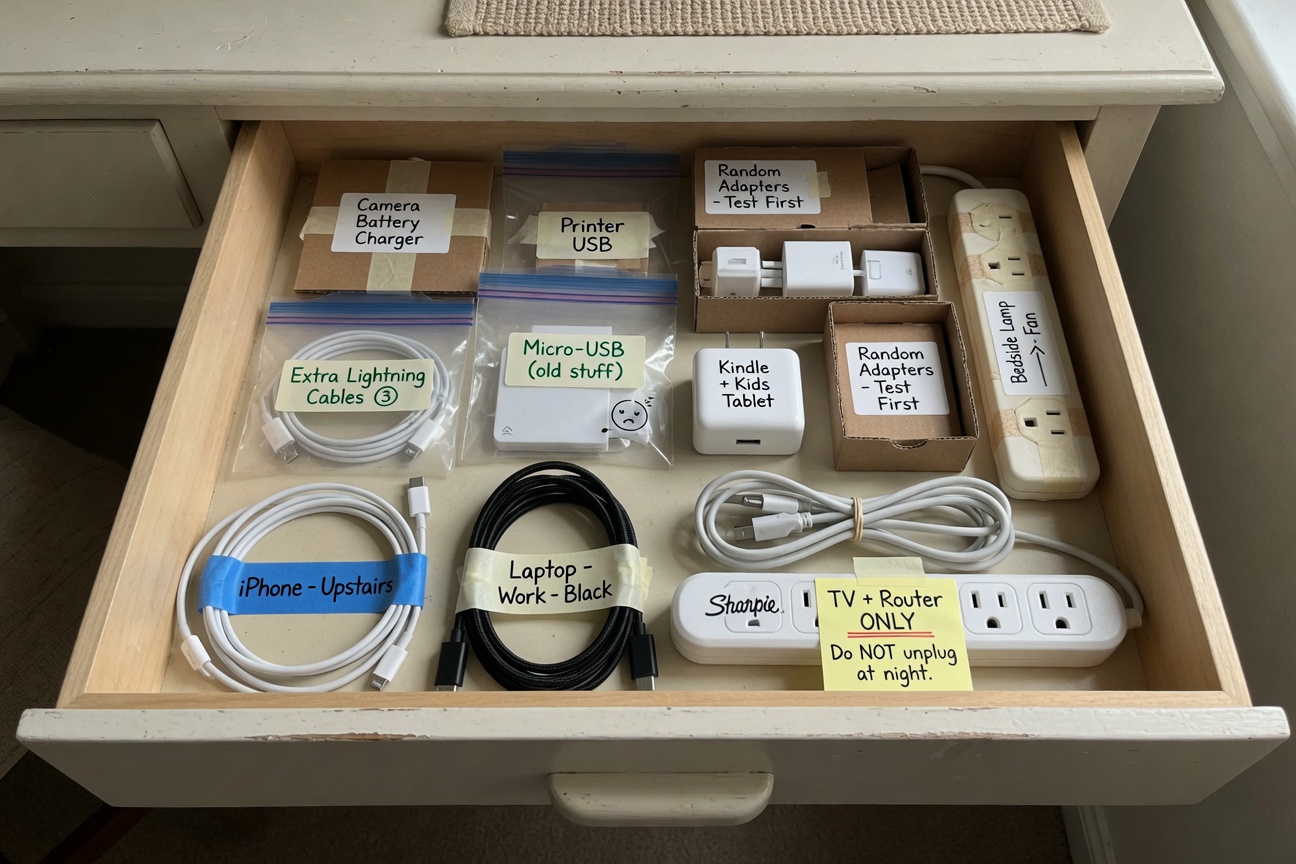
Put the device name near the plug and near the charging end so it is readable from either side.
- 3
Mark power bricks
Write the device name on the brick or attach a tag to the cable loop.
- 4
Bundle without crushing
Use hook-and-loop straps or loose ties. Avoid tight bends near connectors.
- 5
Store spares by category
Use pouches for phone, laptop, camera, and travel chargers so backups stay findable.
What to write on the label
Use the device name, room, or owner. For shared cords, add the wattage if it matters, such as laptop 65 W or USB-C 30 W. Short, readable labels beat clever codes.
Discard damaged cords, hot chargers, or adapters with exposed wiring. Labeling should not keep unsafe gear in use.
Common mistakes
- Labeling only the plug end
- Using paper labels where heat or dust loosens them
- Keeping obsolete cords without a matching device
Frequently asked
Can I use colored tape?
Yes. Color works well by room or person, but write the device name too.
Should every USB cable be kept?
No. Keep a few known-good spares and recycle the rest if you cannot identify their use.